The Problem Claude Code Users Didn't Know How to Solve
Picture this: you're two hours into a complex refactoring session with Claude Code. Edits are flying, subagents are spinning up, and everything seems fine. Then the responses start getting flaky. Claude forgets the architecture decisions you discussed at the start. It loses track of your project structure. By the time you realize the context window is at 95% capacity, you've already burned through tokens and time on degraded output.

This scenario has a name among Claude Code power users: "Context Window Blindness." It's the experience of flying blind inside an AI coding assistant with zero visibility into what's happening under the hood. No dashboard, no gauges, no warning lights. You type prompts, Claude executes commands, and somewhere in between, a finite resource called the context window is being consumed with no meter in sight.
The frustration compounds for paying users. Anthropic's Max plan runs $100 to $200 per month. Pro subscribers pay $20. Both come with usage caps that reset on a rolling 7-day window. Without any way to monitor consumption in real time, developers would routinely hit their rate limits mid-session, losing momentum at the worst possible moment.
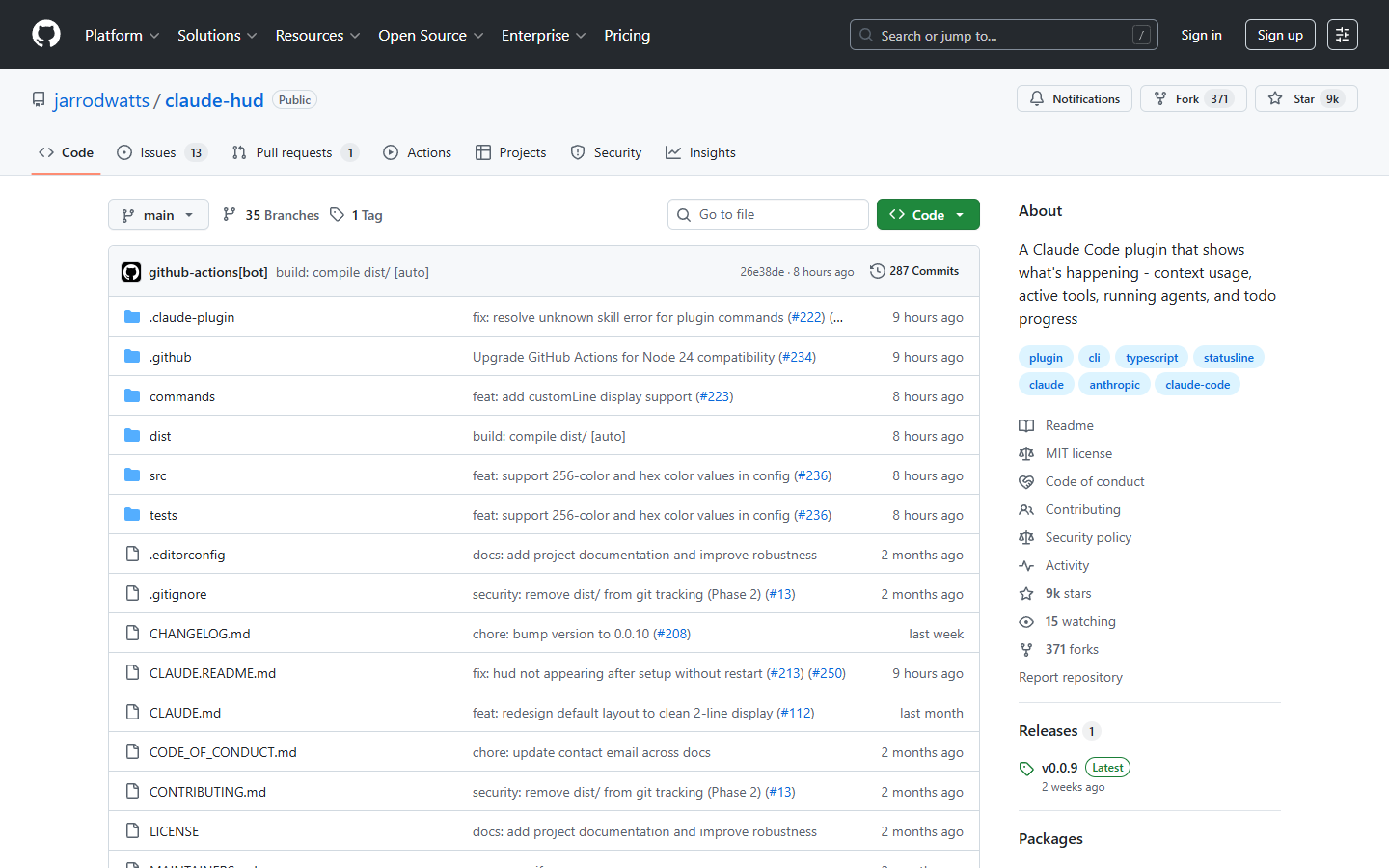
Claude HUD, an open-source plugin created by developer Jarrod Watts, fixes exactly that. It straps a real-time heads-up display directly into the terminal, showing context usage, active tools, running agents, and task progress at a glance. Since launching in early January 2026, the project has racked up 9,000 GitHub stars and 371 forks, making it one of the fastest-growing plugins in the Claude Code ecosystem.
The developer community's reaction has been remarkably consistent: "Why isn't this built into Claude Code already?"
What Claude HUD Actually Does
A Dashboard for Your AI Coding Sessions
Think of Claude HUD as htop for Claude Code. Where htop shows you CPU usage, memory, and running processes, Claude HUD shows context window health, active tools, subagent status, and task completion in real time.
The plugin renders a persistent status bar at the bottom of your terminal, below the Claude Code input area. No separate windows, no tmux panes, no external monitoring tools. It hooks into Claude Code's native statusline API and formats session data into something actually useful.
The default two-line display looks like this:
[Opus | Max] │ my-project git:(main*)
Context █████░░░░░ 45% │ Usage ██░░░░░░░░ 25% (1h 30m / 5h)
Line one shows the model, plan tier, project path, and Git branch. Line two shows a color-coded context bar (green below 70%, yellow between 70 and 85%, red above 85%) alongside your usage rate limits.
Enable the optional lines and you get tool activity, agent tracking, and todo progress:
◐ Edit: auth.ts | ✓ Read ×3 | ✓ Grep ×2
◐ explore [haiku]: Finding auth code (2m 15s)
▸ Fix authentication bug (2/5)
Real Token Data, Not Estimates
One critical distinction separates Claude HUD from any homegrown statusline script: it uses native token data reported by Claude Code itself, not approximations. This matters more than it sounds. Early community attempts at context monitoring relied on rough heuristics, counting messages or estimating token usage based on word count. These methods were unreliable, especially with tool calls, file reads, and agent spawning all consuming context in non-obvious ways.
Claude HUD's data pipeline works differently. Claude Code streams JSON session data via stdin, including precise token counts, model information, and session metadata. Claude HUD processes and formats this data for the statusline. In parallel, it parses the Claude Code transcript JSONL file, a structured log of everything that happens in a session, to extract real-time tool activity, agent status, and todo progress.
The display refreshes approximately every 300 milliseconds, giving a fluid sense of live monitoring. Community feedback confirms that the performance overhead is negligible since the plugin reads existing session data rather than making additional API calls for context tracking. The architecture is deliberately lightweight: Claude HUD adds no network requests, no background processes, and no persistent state beyond its configuration file.
Feature Breakdown
Feature | What You See | Why It Matters |
|---|---|---|
Context health | Visual bar + percent, raw tokens, or remaining capacity | Catch degradation before it starts |
Tool activity | File reads, edits, grep searches in progress | Know exactly what Claude is doing |
Agent tracking | Active subagents, their tasks, and runtime | Spot runaway agent loops early |
Todo progress | Completed vs. planned task count | Track multi-step plan advancement |
Git status | Branch, dirty flag, ahead/behind, file stats | Stay oriented without leaving Claude |
Usage limits | Hourly and 7-day quota consumption (Pro/Max/Team) | Avoid burning through your allocation |
Three display presets cover different needs and workflows. "Full" enables every available display element, including tools, agents, todos, Git status, usage limits, and session duration. This is ideal for complex, multi-agent sessions where you need maximum situational awareness. "Essential" provides activity tracking and Git status without visual clutter, a good balance for everyday coding. "Minimal" strips the display down to just the model name and context bar, perfect for developers who want basic awareness without distraction.
The plugin also scales with Claude Code's reported context window size, including the newer one-million-token sessions available on Opus 4.6. Whether you are working in a standard 200K context session or pushing the limits of the expanded window, the context health bar reflects the actual boundaries of your current session.
Installation: Three Commands and You're Done
Prerequisites
Before installing, make sure you have:
Claude Code v1.0.80 or higher (required for the statusline API)
Node.js 18+ or Bun
A Claude Pro, Max, or Team subscription for usage limit features (everything else works with any Claude Code installation)
Setup
Installation happens entirely inside Claude Code:
/plugin marketplace add jarrodwatts/claude-hud
/plugin install claude-hud
/claude-hud:setup
The setup command walks you through selecting a preset (Full, Essential, or Minimal) and customizing display preferences. Restart Claude Code and the HUD appears automatically.
Linux Users: One Extra Step
On Linux, plugin installation often fails with EXDEV: cross-device link not permitted because /tmp typically lives on a separate tmpfs filesystem. When Claude Code tries to move the installed plugin from the temporary directory to its final location, the cross-device link fails. The fix is straightforward: create a temporary directory on the same filesystem and point Claude Code to it:
mkdir -p ~/.cache/tmp && TMPDIR=~/.cache/tmp claude
Run the installation commands in that session, and you won't encounter the issue again. This is a Claude Code platform limitation, not a Claude HUD bug.
Advanced Configuration
For power users, Claude HUD offers granular control over every display element. Run /claude-hud:configure for a guided flow, or edit ~/.claude/plugins/claude-hud/config.json directly.
Notable configuration options include: context display format (percentage, raw tokens, or remaining capacity), project path depth (one to three directory levels), element ordering in expanded mode, custom color thresholds, and cache TTL settings for the usage API. For corporate proxy environments, the CLAUDE_HUD_USAGE_TIMEOUT_MS environment variable provides timeout control.
Why Claude HUD Hit a Nerve
The Real Cost of Flying Blind
To understand why Claude HUD exploded in popularity, consider the context. Anthropic's Max plan costs $100 to $200 per month. The one-million-token context window became generally available for Opus 4.6 and Sonnet 4.6 in March 2026. Sessions are getting longer, more complex, and more expensive. Without visibility into context state, developers were routinely discovering problems too late.
Some users reported burning through their entire 7-day usage allocation without realizing it, only finding out when the rate limiter kicked in. Others described losing hours of work when context saturation caused Claude to compress early messages, silently dropping the critical architectural decisions from the beginning of a session.
The workarounds before Claude HUD were primitive: manually counting messages, checking API logs after the fact, or simply hoping for the best. Claude HUD replaces guesswork with data.
Observability as a First Principle
The success of Claude HUD reflects a broader principle in software engineering: observability matters. Backend developers would never deploy an application to production without metrics, logs, and alerts. Yet until Claude HUD, AI coding sessions had effectively zero runtime monitoring.
The plugin makes the invisible visible. You can see when a subagent has been spinning on a task for too long. You can identify a tool loop consuming context unnecessarily. You can consciously decide to wrap up a session before context pressure degrades response quality.
This transparency fundamentally changes the developer-tool relationship. Instead of reacting to Claude Code's limitations, you anticipate them and adjust your strategy.
Claude HUD vs. the Alternatives
How It Stacks Up
Claude HUD isn't the only tool attempting to solve visibility in Claude Code, but it occupies a unique position in the ecosystem.
Tool | Type | Real-Time In-Session | Context Tracking | Cost Tracking | Claude Code Specific |
|---|---|---|---|---|---|
Claude HUD | Statusline plugin | Yes (300ms) | Yes | No | Yes |
Claude Code Usage Monitor | Separate terminal | Yes | Partial | Yes | Yes |
Taalas | Multi-provider tracker | No | No | Yes | No |
Toolspend | Billing monitor | No | No | Yes | No |
Anthropic Dashboard | Web interface | No | No | Yes | No |
Native /statusline | Custom script | Yes | Basic | No | Yes |
The key advantage over a custom statusline script is depth. A basic script can display context percentage from Claude Code's JSON data, but Claude HUD goes further by parsing the transcript JSONL to extract tool activity, agent status, and task progress.
Compared to cost-tracking tools like Taalas or Toolspend, Claude HUD operates on a different plane entirely. Those tools work at the billing level and provide after-the-fact data. Claude HUD provides operational data in real time, inside the active session.
What Claude HUD Doesn't Do
The plugin is built exclusively for Claude Code and does not work with Cursor, GitHub Copilot, Aider, Windsurf, or any other AI development tool. If your workflow spans multiple assistants, Claude HUD only covers the Claude Code portion. It does not track financial costs in dollar terms and is not a replacement for budget monitoring tools.
At version 0.0.9, the project is transparent about its maturity level. Usage limit tracking can be finicky behind corporate proxies, requiring manual timeout configuration via the CLAUDE_HUD_USAGE_TIMEOUT_MS environment variable. AWS Bedrock users see a simplified display (the HUD shows "Bedrock" and hides usage limits since those are managed differently). And the long-term viability depends on Claude Code's plugin API stability, which Anthropic could change or deprecate at any time.
There is also a broader security consideration worth noting. The rise of AI coding tools has attracted malware campaigns that impersonate legitimate developer tooling. While Claude HUD itself is a well-audited open-source project with an MIT license and 9,000 stars worth of community scrutiny, the episode is a reminder to install plugins only from verified sources and to review the code when in doubt.
Who Built Claude HUD and Why It Matters
Jarrod Watts is an Australian developer based in Sydney who serves as Director of Developer Relations at Cube Labs, formerly Abstract Chain. Before that, he held developer relations roles at Polygon Labs and thirdweb. His background in developer tooling and open-source advocacy shows in how the project was launched: he announced on X in early January 2026 that he'd started building a "Claude HUD" and offered to polish and open-source it "if there's enough interest."
The interest was overwhelming. The repository now has 9,000 stars, 371 forks, and 287 commits, with a growing community of contributors beyond the original author. The MIT license ensures the project remains completely free to use, modify, and redistribute, including in commercial environments. There are no paid tiers, no premium features, and no telemetry.
The Verdict
If you use Claude Code with any regularity, installing Claude HUD is a no-brainer. The setup takes under a minute, the plugin is free and open source, and the resource overhead is virtually zero. Even in its minimal configuration, the color-coded context bar alone transforms the experience of working inside Claude Code.
For Max plan subscribers running extended development sessions, Claude HUD is especially valuable. Visibility into your 7-day quota consumption can save you from unpleasant surprises by itself. For teams using Claude Code collaboratively, the ability to see exactly what agents and tools are doing provides a layer of oversight that didn't previously exist.
The plugin points to a broader and inevitable shift toward observability in AI-assisted development. Just as DevOps culture transformed how teams think about production monitoring, tools like Claude HUD are establishing the expectation that AI coding sessions deserve the same level of transparency. Anthropic will likely build some of these capabilities natively into Claude Code over time. Until then, Claude HUD fills a genuine gap in the developer toolkit. With a one-million-token context window now available to everyone, the question is no longer whether you need visibility into your sessions, but how you managed without it for so long.